
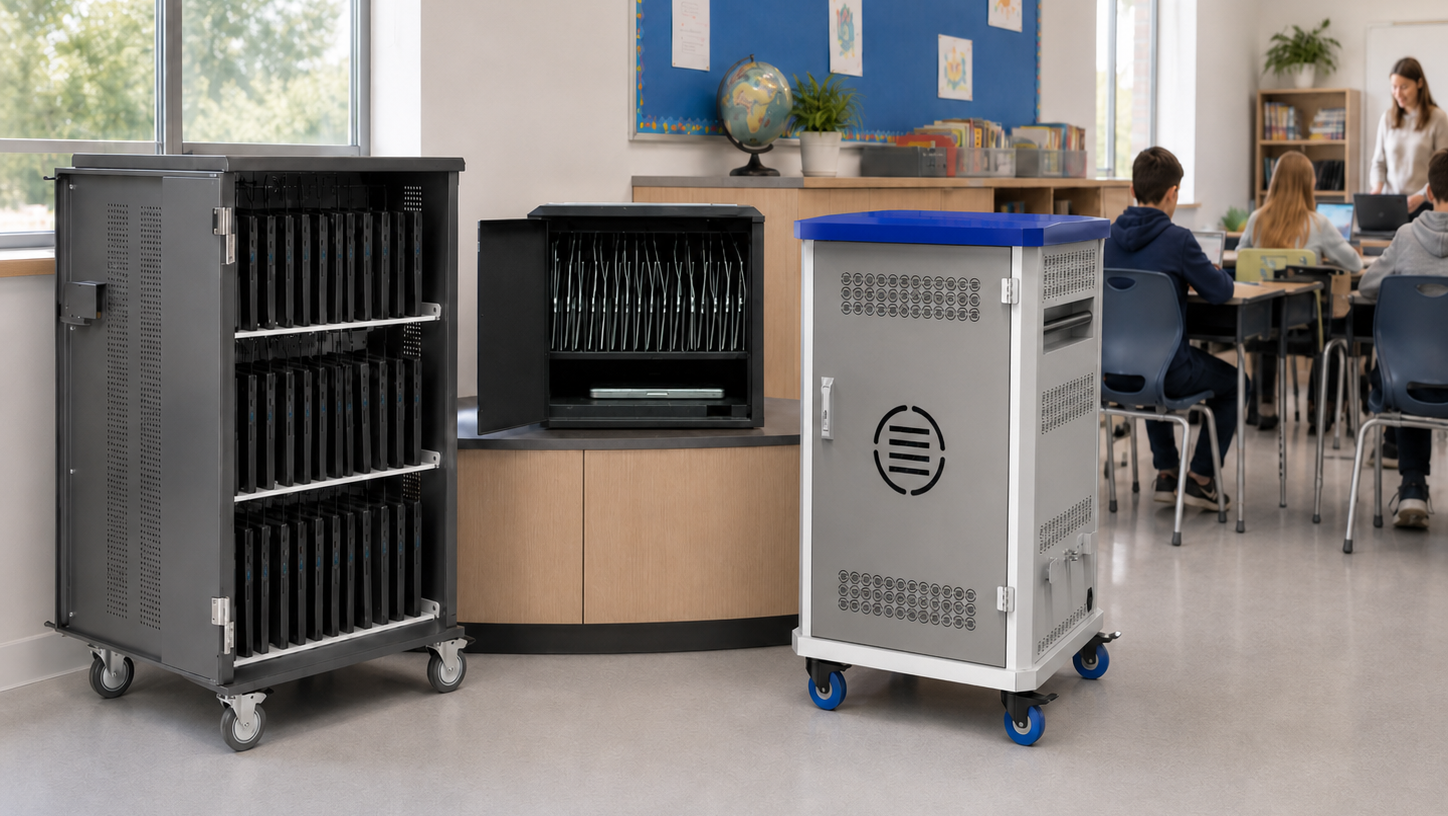
As schools and organizations deploy more mobile devices, one practical question emerges quickly:
Where should all of those devices actually live?
Chromebooks, laptops, tablets, and iPads need to be charged, secured, and stored somewhere between uses. But the right solution isn’t always obvious. Some environments rely on charging carts. Others use locking tabletop or wall-mounted storage cabinets.
Each approach can work well – when it’s matched to the size of the device fleet and the way those devices are used day to day.
The goal isn’t simply to store devices. The goal is to create infrastructure that keeps devices organized, secure, and consistently ready for use.
Infrastructure Should Match the Size of the Deployment
Device infrastructure works best when it aligns with the scale of the deployment.
In many organizations, mobile device fleets fall into three general categories:
• Small fleets used in individual classrooms or small teams
• Medium fleets shared across classrooms or departments
• Large fleets managed across multiple rooms or locations
Each scenario creates different infrastructure needs.
Trying to manage a large fleet with infrastructure designed for a small one quickly creates bottlenecks. At the same time, deploying oversized systems for small fleets can waste space and complicate daily routines.
Choosing the right infrastructure starts with understanding how many devices are involved – and how often they move.
Charging Carts: Mobility and Classroom Distribution
Charging carts are one of the most widely used solutions for managing classroom devices.
Carts allow organizations to charge, secure, and move entire device fleets easily. In classroom environments, they often support daily device distribution, allowing teachers to quickly hand out Chromebooks, laptops, or tablets at the beginning of a lesson.
Because carts are mobile, they also work well when devices need to be shared across rooms or departments.
Charging carts are typically the best fit when:
• Devices are distributed to students or staff daily
• Fleets are larger (20–40 devices)
• Devices move between rooms or learning spaces
• Mobility and accessibility are important
For example, classroom-focused carts such as Datamation’s Gather’Round™ carts are designed specifically to make device distribution easier for teachers, with accessible tray layouts and ergonomic access that supports everyday classroom workflows.
In these environments, carts become part of the daily routine rather than simply a place to store equipment.
Secure Cabinets and Safes: Compact Storage for Smaller Fleets
Not every deployment requires a full-size charging cart.
In many classrooms, smaller device fleets need a secure place to charge and store devices without taking up valuable floor space. Compact charging cabinets or safes are designed specifically for this purpose.
These solutions provide secure storage, integrated charging, and organized cable management in a much smaller footprint.
They are often used when:
• Device fleets are smaller (10–20 devices)
• Devices remain in a single classroom
• Space is limited
• Security and organization are the primary concerns
Compact solutions such as Datamation’s NetSafe charging safes address smaller deployments by providing secure charging and device storage in space-constrained classroom environments.
In these settings, smaller charging safes offer a simple way to keep devices organized and protected without introducing unnecessary complexity.
Wall-Mounted Storage: Saving Space in Tight Environments
Some environments simply don’t have the floor space for carts or larger storage cabinets.
Wall-mounted device storage offers another option, allowing organizations to securely charge devices while keeping floors clear and classrooms uncluttered.
Wall-mounted systems can be particularly useful in:
• Smaller classrooms
• Shared learning spaces
• Hallways or charging stations
• Environments where floor space is limited
Wall-mounted solutions such as Datamation’s Wall Safe device storage systems provides secure charging while keeping infrastructure off the floor entirely — an approach that can be especially helpful in classrooms where space is at a premium.
Choosing Infrastructure That Supports Real Workflows
The most effective device infrastructure isn’t determined by product category alone. It’s determined by how devices are used.
When evaluating charging and storage solutions, organizations should consider questions such as:
• How many devices are being managed?
• Do devices move between rooms or stay in one location?
• How often are devices distributed and returned?
• How much space is available?
• What level of security is required?
The answers to these questions help determine whether mobile carts, compact safes, or wall-mounted storage will provide the most practical solution.
In many organizations, the best approach is a combination of these systems across different rooms or departments.
Infrastructure That Scales With Device Programs
Device programs rarely stay the same size for long.
Schools add classrooms. Organizations deploy more devices. New device models are introduced.
Infrastructure decisions made early on should support that growth without creating new complications.
The right approach is to choose solutions that keep devices organized, charged, and secure while remaining flexible enough to evolve alongside the technology programs they support.
Because device readiness doesn’t happen by accident.
It’s the result of an infrastructure that was designed to support it.
Mobile. Ready.